Pixor Documentation
Welcome to Pixor ! Get familiar with the Stripe products and explore their features:

Working with Doc
You can any work by following our docs

Formatting Content
Our content is more formating for your website

Perfect Responsive
Our Template is full Perfect for all device. You can visit our template all device easily.

Sass Available
The tamplate has Sass available for css. You can Change css by sass
Fast Loading Speed
Histudy is faster loading speed. Histudy create your template so much faster

24 Support System
We are provide 24 hours support for all clients.You can purchase without hesitation.
Getting Started
Welcome to Pixor ! Get familiar with the Stripe products and explore their features:
Pixor | Creative Digital Agency Template – is a flexible and visually appealing Php template designed for creative digital agencies, freelancers, design studios, and anyone wishing to develop a strong online presence. Pixor’s modern style and straightforward layout enable agencies to exhibit their services, portfolios, and projects in an engaging way. Whether you’re launching a new brand or increasing your customer base, Pixor offers a visually attractive and highly adjustable platform for creating a one-of-a-kind and professional website.
Pixor Core Features
- Built with PHP
- Built with Bootstrap 5.3.2
- Responsive layout (desktops, tablets, mobile devices)
- Well structured code
- Active Contact Form
- Hinted Typography
- Sass Available
- W3 Valid 100%
- Fast Loading Speed
- Cross Browser Support
- Dedicated Support, Lifetime Updates
- Lifetime Free Updates
- And much more …
How to Install Pixor Website Templates
1. Install PHP
If you're using XAMPP, WAMP, or MAMP, PHP should already be included. Make sure your server environment (Apache, Nginx, etc.) is configured to work with PHP. If PHP is not installed, you can download it from the official PHP website.
2. Download and Extract the Zip File:
Download the zip file containing all files integrated with Pixor . Extract the contents of the zip file to your desired location.
3. Running the PHP Application
Start your PHP server. If you're using XAMPP, WAMP, or MAMP, start Apache. Navigate to localhost in your web browser and specify the port number if necessary (e.g.,http://localhost:{{PORT}}).
4. Editing Pixor Template
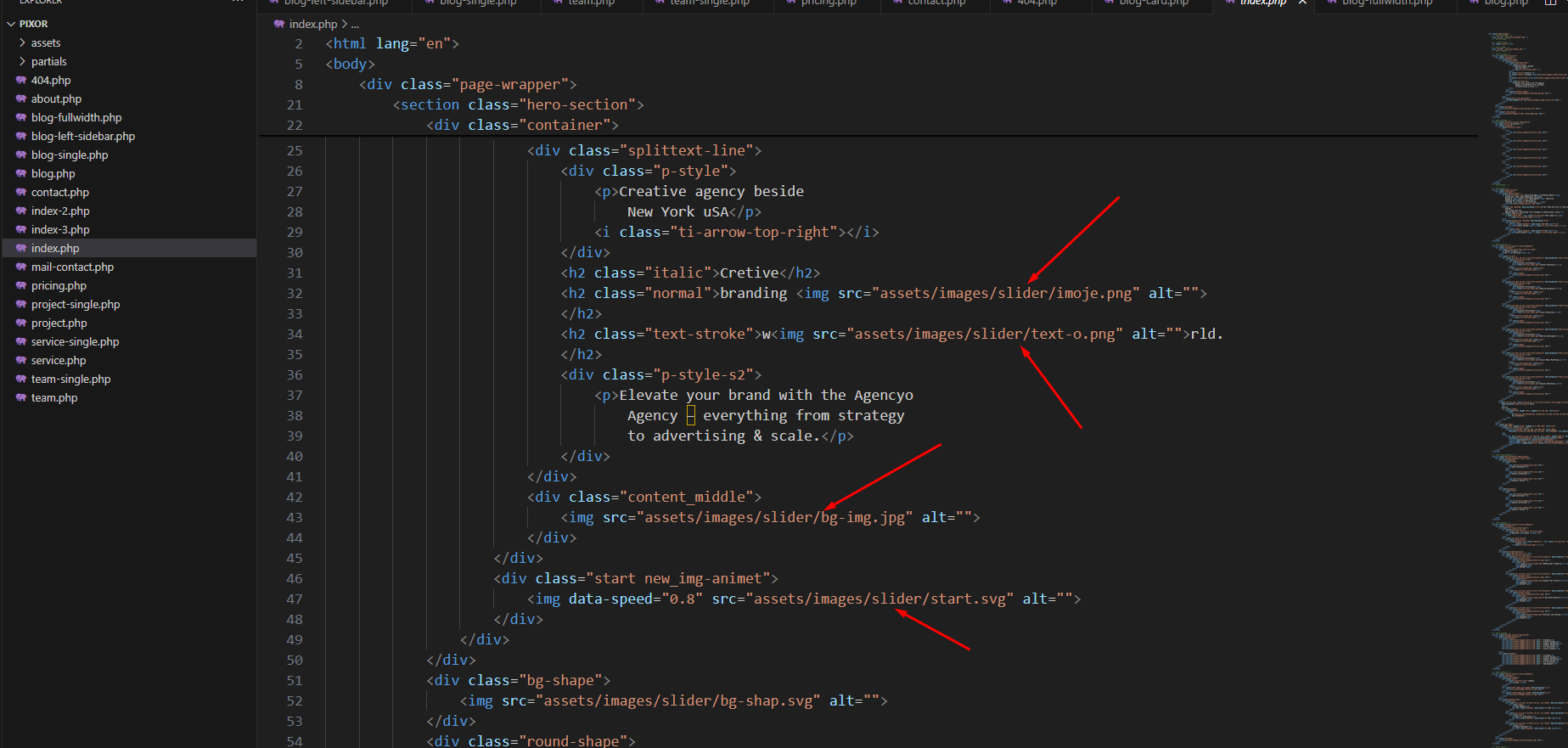
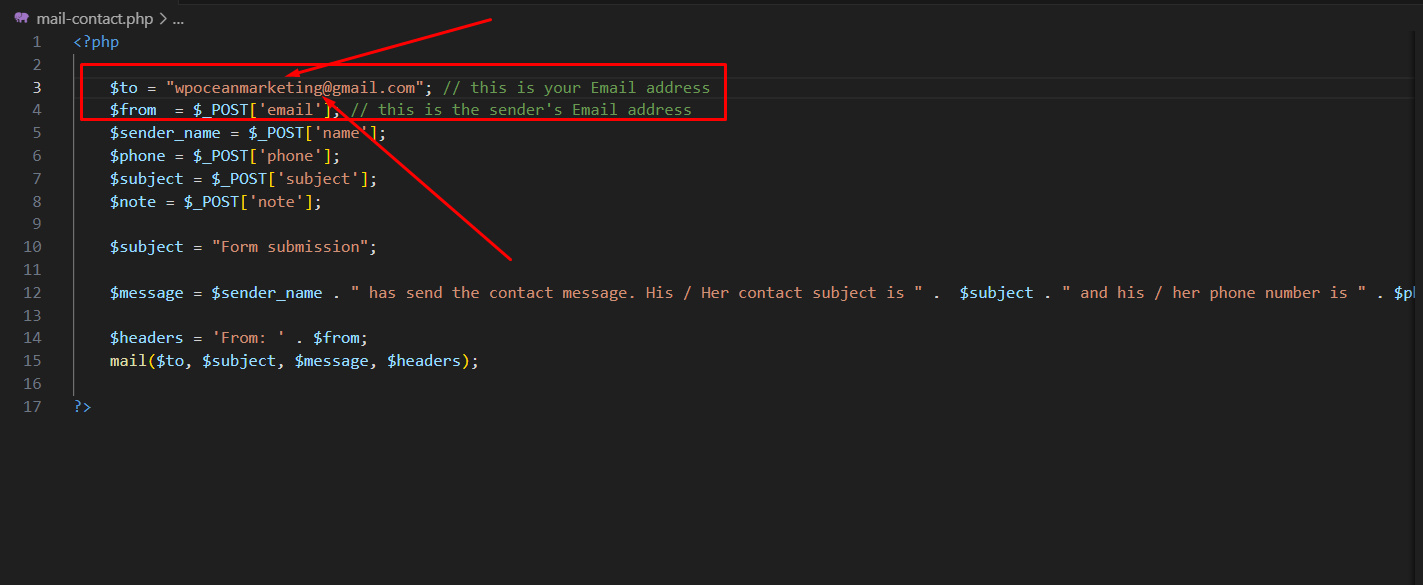
Before all that you have to edit your template and place your own contents by replacing old demo contents, in this case, you will need a code editor such as – VScode, Sublime Text etc.
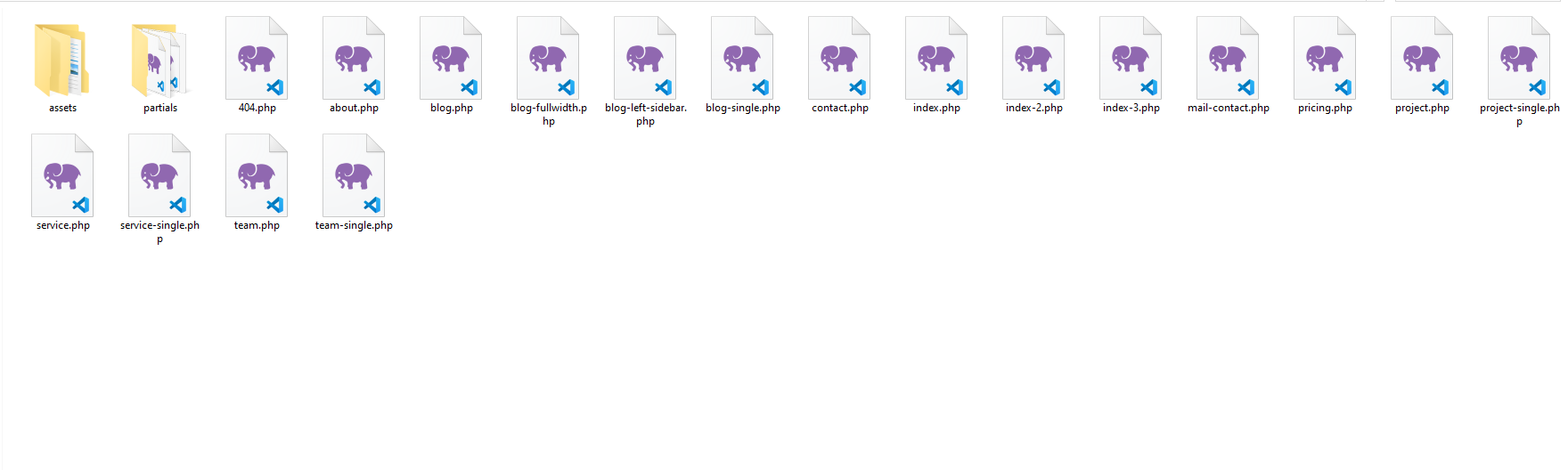
5. Package comes with documentation unzip the download package, you’ll found a folder with all template files, like above screenshot.