
NAHLA - Business Consulting HTML Template
Created: 04 September, 2023
Thank you for purchasing our template. If you have any questions that are beyond the scope of this help file, please feel free to email us
Template Installation
-
FTP Upload:
- Open up your FTP manager and connect to your hosting
- Browse to required directory (Normally public_html)
- Upload the files inside nahla-html folder.
Pages
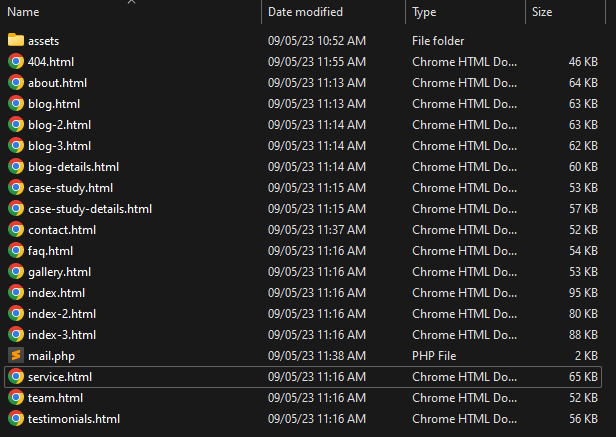
- index.html 1st Home Page
- index-2.html 2nd Home Page
- index-3.html 3rd Home Page
- about.html About Page
- service.html Service Page
- case-study.html Case Study Page
- case-study-details.html Case Study Details Page
- gallery.html Gallery Page
- faq.html Faq Page
- team.html Team Page
- testimonials.html Testimonials Page
- blog.html Blog Page
- blog-2.html Blog Two Page
- blog-3.html Blog Three Page
- blog-details.html Blog Details Page
- contact.html Contact Page
- 404.html Error Page
- mail.php mail.php file
Fonts
        <!-- Google Fonts
        ============================================ -->
        Open Sans, Pathway Extreme - <link href='https://fonts.googleapis.com/css2?family=Open+Sans:ital,wght@0,300;0,400;0,500;0,600;0,700;0,800;1,300;1,400;1,500;1,600;1,700;1,800&family=Pathway+Extreme:ital,wght@0,300;0,400;0,500;0,600;0,700;0,800;0,900;1,300;1,400;1,500;1,600;1,700;1,800;1,900&display=swap' rel='stylesheet' type='text/css'>
Source File (CSS)
    <!-- ===========  All Stylesheet ================= -->
    <!--  Icon css plugins -->
    <link rel="stylesheet" href="assets/css/icons.css">
    <!--  animate css plugins -->
    <link rel="stylesheet" href="assets/css/animate.css">
    <!-- aos css plugins -->
    <link rel="stylesheet" href="assets/css/aos.css">
    <!--  owl carousel css plugins -->
    <link rel="stylesheet" href="assets/css/owl.carousel.css">
    <!--  magnific popup css plugins -->
    <link rel="stylesheet" href="assets/css/magnific.css">
    <!-- metis menu css file -->
    <link rel="stylesheet" href="assets/css/metismenu.css">
    <!--  Bootstrap css plugins -->
    <link rel="stylesheet" href="assets/css/bootstrap.min.css">
    <!--  main style css file -->
    <link rel="stylesheet" href="assets/css/style.css">
Source File (JS)
    <!-- jQuery
    <script src="assets/js/jquery.min.js"></script>
    <script src="assets/js/owl.carousel.min.js"></script>
    <script src="assets/js/bootstrap.min.js"></script>
    <script src="assets/js/marquee.min.js"></script>
    <script src="assets/js/isotope.pkgd.min.js"></script>
    <script src="assets/js/wow.js"></script>
    <script src="assets/js/scrollUp.min.js"></script>
    <script src="assets/js/imageload.min.js"></script>
    <script src="assets/js/magnific-popup.min.js"></script>
    <script src="assets/js/metismenu.js"></script>
    <script src="assets/js/active.js"></script>
Customization
How to Change Logo

How to Change Title

How to Change Favicon

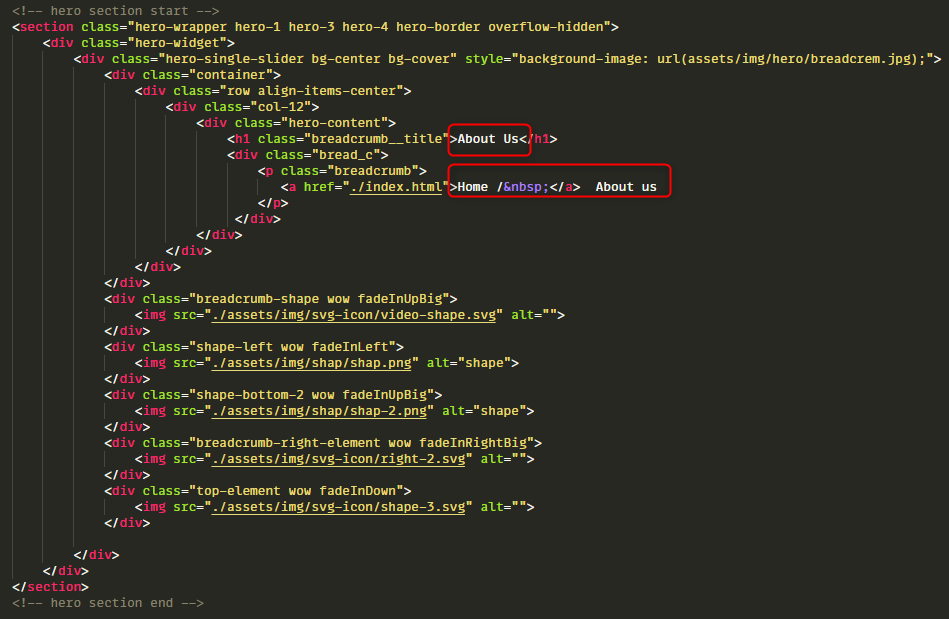
How to Change Page Banner
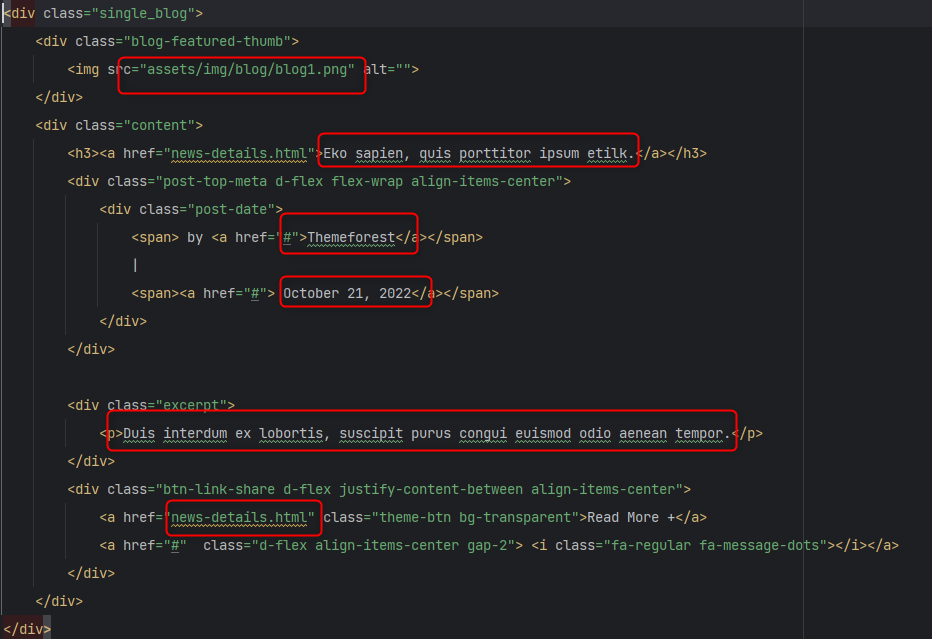
How to Change Blog Section Item
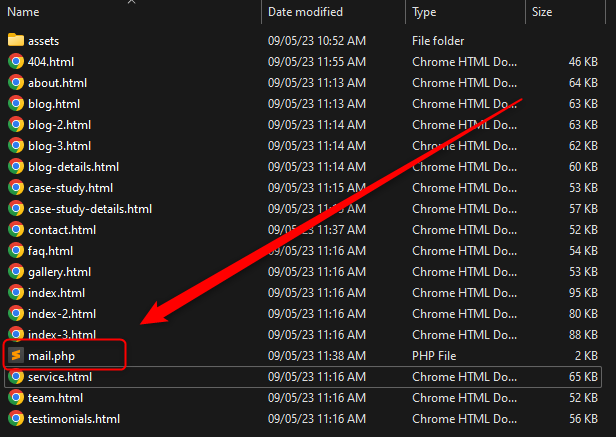
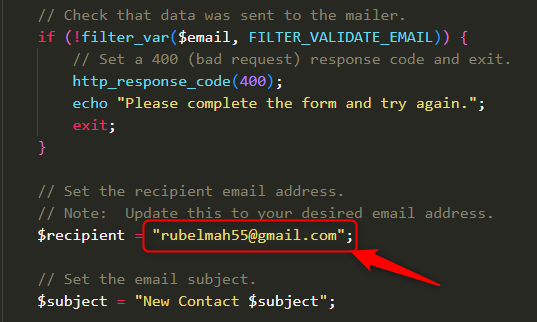
How to Change Mail Address with Your's - Open mail.php file and edit.
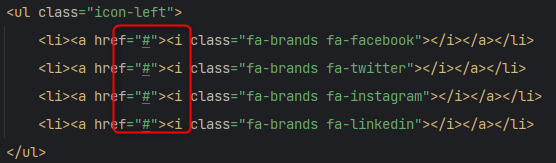
How to Change Social Links
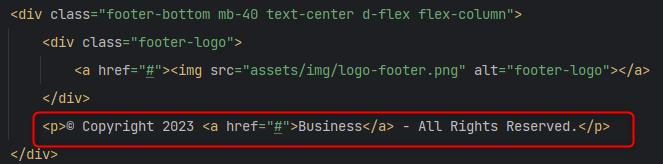
How to Change Copyright
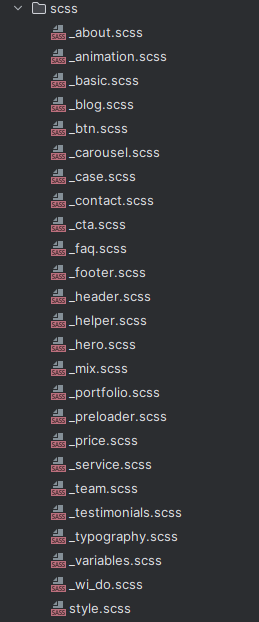
SCSS Structure
CSS Structure
I'm using One SCSS files in this template. You change the SCSS Code of style.scss file
=================================
|***    Table of contents:   ***|
=================================

1. BASIC
2. MIXIN
3. TYPOGRAPHY
4. MIX
5. HELPER
6. ANIMATION
7. Button
8. Preloader
/* ----------------------------------
    Template Section Styles
 ------------------------------------*/
9. Menu - Header Section
10. Hero Slide - Section
11. Contact - Section
12. About - Section
13. services - Section
14. testimonial - Section
15. Portfolio- Section
16. Price Table - Section
17. Call To Action - Section
18. WE_DO - Section
19. team - Section
20. Case - Section
21. carousel - Section
22. FAQ - Section
23. Blog - Section
24 footer - Section
*Note: Responsive css in style.css file bottom.
If you would like to edit a specific section of the site, simply find the appropriate label in the CSS file, and then scroll down until you find the appropriate style that needs to be edited.
JavaScript Customization
Change The Carosuels & Others with your's choice
            /* =============================================
            # owl-carousel slider init
            ===============================================*/
            var heroSlider2 = $(".hero-slider-wrapper");

            heroSlider2.owlCarousel({
                items: 1,
                animateIn: 'fadeIn',
                loop: true,
                autoplayTimeout: 5000,
                autoplay:true,
                center: true,
                dots:true,
                onInitialized: function(event){
                    var $firstAnimatingElements = $('.owl-item', heroSlider2).eq(event.item.index).find('[data-animation]');
                    doAnimations($firstAnimatingElements);
                }
            });