Plexify - Creative Agency Figma Template
Create by DexignZone
- created: January 21, 2025
- by: DexignZone
Thank you for purchasing my template. If you have any questions, please feel free to contact me via the contact form on my profile page.
Description
Plexify - Creative Agency Figma Template
Plexify is a clean and modern & agecny figma template, designed for those who want to become professionals and want to promote their web design agency & branding agency. Plexify includes all of the popular features that will benefit your business. The template has 64 layered files that are easy to customize, and all the resources used to create it are open source.

Template Features
- Eye-catching Typography
- Stylish and Balanced Homepages
- Custom Grid System
- Pixel Perfect
- Awesome color Combination
- Easy to Customize
- Fully Layered and Organized Figma File
- Free Google Web Fonts
67+ Pages Included
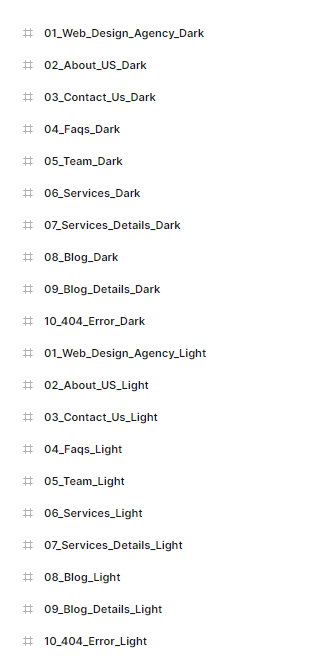
Web Design Agency Dark
- 01_Web_Design_Agency_Dark
- 02_About_US_Dark
- 03_Contact_Us_Dark
- 04_Faqs_Dark
- 05_Team_Dark
- 06_Services_Dark
- 07_Services_Details_Dark
- 08_Blog_Dark
- 09_Blog_Details_Dark
- 10_404_Error_Dark
Web Design Agency Light
- 01_Web_Design_Agency_Light
- 02_About_US_Light
- 03_Contact_Us_Light
- 04_Faqs_Light
- 05_Team_Light
- 06_Services_Light
- 07_Services_Details_Light
- 08_Blog_Light
- 09_Blog_Details_Light
- 10_404_Error_Light
Branding Agency
- 01_Branding_Agency
- 02_About_Us
- 03_Contact_Us
- 04_Faqs
- 05_Team
- 06_Services
- 07_Services_Details
- 08_Blog
- 09_Blog_Details
- 10_404_Error
SEO Agency
- 01_Branding_Agency
- 02_About_Us
- 03_Contact_Us
- 04_Faqs
- 05_Team
- 06_Services
- 07_Services_Details
- 08_Blog
- 09_Blog_Details
- 10_404_Error
Digital Marketing
- 01_Branding_Agency
- 02_About_Us
- 03_Contact_Us
- 04_Faqs
- 05_Team
- 06_Services
- 07_Services_Details
- 08_Blog
- 09_Blog_Details
- 10_404_Error
Real Estate
- 01_Branding_Agency
- 02_About_Us
- 03_Contact_Us
- 04_Faqs
- 05_Team
- 06_Services
- 07_Services_Details
- 08_Blog
- 09_Blog_Details
- 10_404_Error
- 11_Property_Listing
- 12_Property_Details
How To Edit Figma Files
In order to edit the file, you need to have Figma installed on your system and online, and the fonts mentioned in the credits installed.
As you can see on the in the image below, the layers are well organized and gropued into folders, which make editing very easy.
So, all you have to do, is select the layer, and then edit it with Figma.
Enjoy the journey.
Sources and Credits
Fonts Used
- lufga
- Space Grotesk
- Juana
- Red Hat Display
Icons Used
Graphics Used
Change Log
New Updates
v2.0 – 15 April 2025
SEO Agency
- 01_Branding_Agency
- 02_About_Us
- 03_Contact_Us
- 04_Faqs
- 05_Team
- 06_Services
- 07_Services_Details
- 08_Blog
- 09_Blog_Details
- 10_404_Error
Digital Marketing
- 01_Branding_Agency
- 02_About_Us
- 03_Contact_Us
- 04_Faqs
- 05_Team
- 06_Services
- 07_Services_Details
- 08_Blog
- 09_Blog_Details
- 10_404_Error
Real Estate
- 01_Branding_Agency
- 02_About_Us
- 03_Contact_Us
- 04_Faqs
- 05_Team
- 06_Services
- 07_Services_Details
- 08_Blog
- 09_Blog_Details
- 10_404_Error
- 11_Property_Listing
- 12_Property_Details